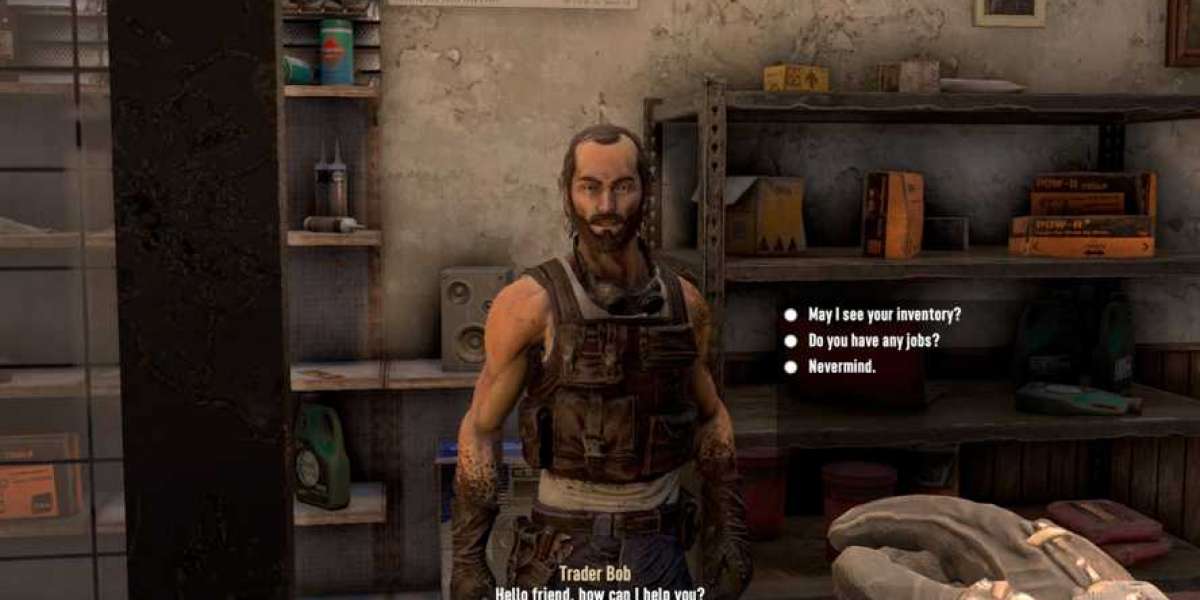

Navezgane is home to five unique traders, each stationed in a different biome. They accept Duke Tokens for goods, rotate their stock every few in-game days, and are open from 4:00 to 21:50—if you're still inside at closing time, you'll be kicked out. Every trader offers repeatable missions that reward experience and items, and most missions send you to locations within that trader's own biome.
The Five Traders at a Glance
Rekt (Forest) – He's usually the first trader you meet. Rekt specializes in early-game items, seeds, and food. During the tutorial quest, he gives you the Shovel. His missions all stay within the Forest.
Jen (Burnt Forest) – Just south of the Forest, Jen stocks general goods and medical supplies—Aloe Cream appears more often in her inventory. Her missions take place in the Burnt Forest.
Bob (Desert) – Bob focuses on tools, tool mods, and vehicle materials like Mechanical and Electrical Parts, plus paint. His jobs mostly send you into the Desert, but occasionally they'll lead near the Wasteland, increasing difficulty.
Hugh (Snowy Forest) – If you rely on guns, seek out Hugh. He carries all ammo types, including higher-tier rounds, as well as weapon parts and mods. His missions are in the Snowy Forest.
Joel (Wasteland) – Joel sells higher-tier armor and armor mods. His missions all lead into the Wastelands, making him one of the most dangerous traders to reach despite a direct route from the Forest.
Practical Tips
- Start with Rekt in the Forest to get basic supplies and the Shovel quest.
- Visit Jen early for medical items, then Bob for tools and vehicle materials.
- Hugh is valuable mid-game for ammunition; Joel becomes useful once you need better armor.
- Be prepared for tougher biomes—especially the Wasteland—when traveling to Joel or taking Bob's rare Wasteland-adjacent missions.
About the 7 Days to Die Steam
The 7 Days to Die Steam experience thrives on the permanent tension of an approaching horde night, forcing players to scavenge, craft, and fortify under constant pressure.
Its Steam reviews highlight how the blend of FPS combat and deep base-building creates a gripping cycle where every material matters.
Cooperative play turns survival into a shared problem-solving exercise, and the randomly generated maps ensure no two runs feel identical.
What is the 7 Days to Die Steam key?
A 7 Days to Die Steam key serves as a digital ticket that unlocks the full zombie survival game on Steam, granting permanent access once redeemed. Players can buy 7 Days to Die key from popular game trading platforms like LootBar, G2A, or Kinguin by topping up their account balance. After purchase, the code is either automatically activated into your Steam library or provided for manual redemption through the Steam client.
How to buy 7 Days to Die - Steam key on LootBar?
- Start by heading to the LootBar website and either log into your existing account or create a new one if you haven't registered yet.
2. After signing in, use the top navigation bar to click on "Game key," then specifically locate and choose the listing for 7 Days to Die Steam key from the drop-down or page.
3. Carefully review the displayed offers and pick the exact 7 Days to Die Steam key you want, paying attention to region compatibility and any edition details.
4. With the key selected, press the "Buy Now" button, pick your preferred payment method from the available options, and complete the purchase by confirming the transaction.
5. Once payment is processed, enter any requested delivery information accurately, and then simply wait while the system generates and sends your 7 Days to Die Steam key directly to your account or email inbox.
What is the best Gaming Top-Up Platform?
LootBar stands out as a reliable and professional platform for gaming recharge. Its reliability and popularity are reflected in excellent reviews, including a 4.9/5.0 rating on Trustpilot.